Array Methods in JavaScript

I am a web developer from Balochistan and a blog writter.
Arrays are the crucial part of JavaScript which we can use to manipulate and store different types of data in a single variable and perform various operations on them. I explained about the Arrays in my previous blog. But did you know that JavaScript provides a variety of built-in methods that make working with the arrays more efficient? We will explore some of the common Array methods that make your life and code easier as a JavaScript developer.
The forEach() method
The forEach() method is like your best friend which will go around every element of an array. It allows you to iterate over the elements of an array and perform a specific action.
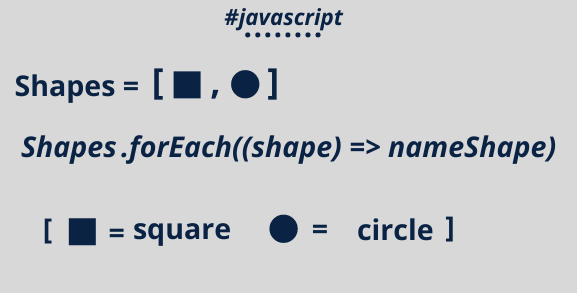
Like the example given below:
const numbers = [1 , 2 , 3 , 4 , 5];
numbers.forEach(number => {
   console.log(number * 2); // Output: 2 , 4 , 6 , 8 , 10
})
In the example above, forEach() method iterate over each number in the numbers array and console.log each element of the array multiplied by 2.
The map() method
The map() method is similar to forEach(), but the difference between them is that map() method creates a new array by applying a function to each element of the original array and stores the newly generated array inside another variable as given in the example below.
const numbers = [1 , 2 , 3 , 4 , 5];
const doubledNumbers = numbers.map(number => {
   return number * 2;
})

console.log(doubledNumber); // Output: [2 , 4 , 6 , 8 , 10];
In the example above, map() doubles each number in the numbers array and stores the results in a new array called doubledNumbers.
The filter() method
It does what the name suggests it filters the array of elements based on specific criteria given by the programmer. Here's an example showing how it works.
const numbers = [1 , 2 , 3 , 4 , 5];
const evenNumbers = numbers.filter(number => {
  return number % 2 === 0;
})
console.log(evenNumbers); // Output: [2 , 4]
In this example, the filter() method creates a new array called evenNumbers that contains only the even numbers from the numbers array only.
The reduce() method
Imagine you have an array of numbers and you want to calculate their sum. The reduce() method is the answer. It reduces an array to a single value by executing a provided function for each element. Here's how it works:
const numbers = [1, 2, 3, 4, 5];

const sum = numbers.reduce((accumulator, number) => {
  return accumulator + number;
}, 0);

console.log(sum); // Output: 15
In this example, reduce() adds up all the numbers in the numbers array and stores the result in the sum variable.
The find() method
Sometimes you need to search for a specific element in an array. The find() method is perfect for this scenario. It returns the first element that satisfies a provided testing function. Let's take a look:
const fruits = ["apple", "banana", "orange", "kiwi"];

const fruit = fruits.find(item => {
  return item === "orange";
});

console.log(fruit); // Output: "orange"
In this case, find() locates the element "orange" in the fruit array and stores it in the fruit variable.
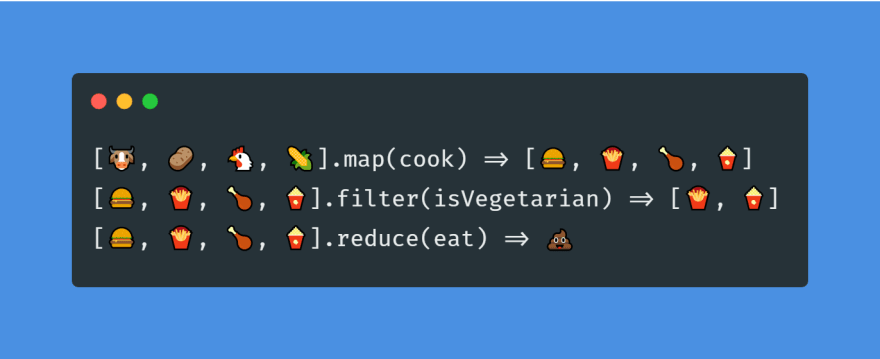
Look at the examples of all the method we talked about in this blog:
Conclusion
JavaScript array methods are compelling and can save time and effort when working with data collection. By reading this blog you should have the knowledge to work with the array method and explore more about the array methods for maximum results, that's all for this blog.


